
eBizAutos Launches New Google Barcode Scanner

The eBizAutos Mobile App just got even better

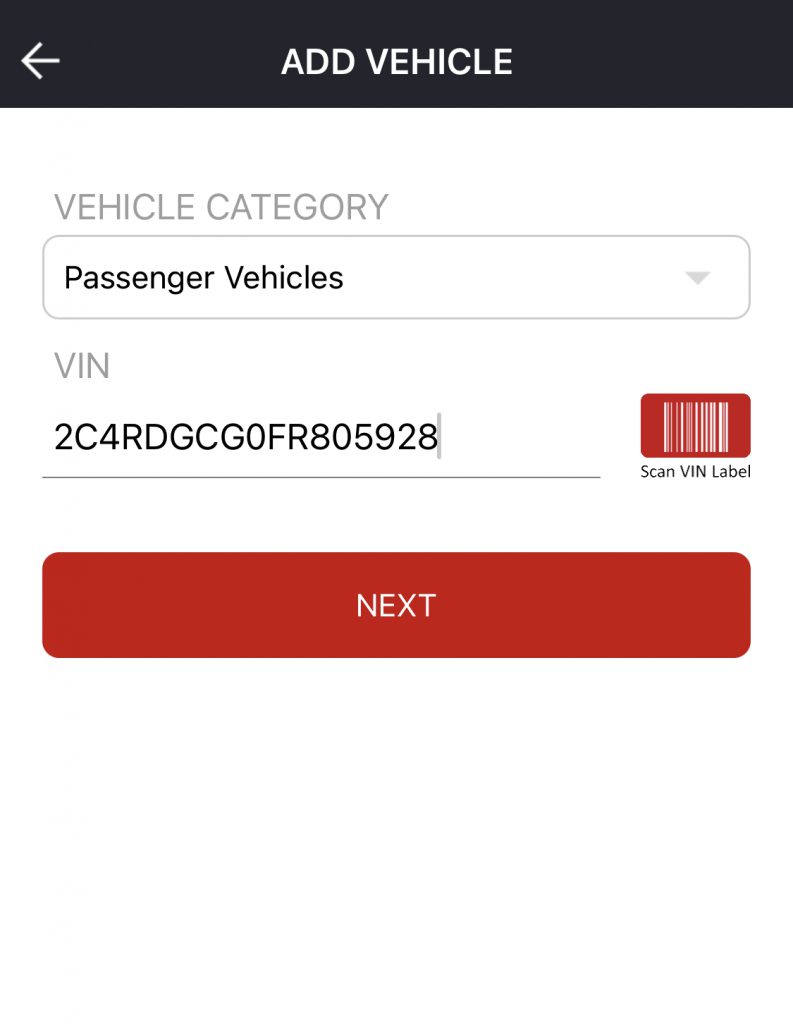
eBizAutos has integrated a new barcode scanner from Google, which makes managing inventory a breeze.

Use the new scanner tool to scan and instantly upload your inventory to your website.

The eBizAutos Mobile App and its scanning tool will save you and your dealership a lot of time and work.

Download the eBizAutos Mobile App

The eBizAutos Mobile App is available for all iPhone and Android devices.

You can download the app either from the Apple App Store or Google Play Store.

Download the app and give the new scanner a try to increase your dealership’s productivity and efficiency!
(function () { var params = new URLSearchParams(window.location.search); var email = (params.get('value') || '').trim(); // Only prefill if it looks like an email if (!email || !/^[^\s@]+@[^\s@]+\.[^\s@]+$/.test(email)) return; var FORM_ID = 'c27d7375-bc8c-49fa-9994-2ed6f0d35824'; var EMAIL_FIELD = '0-1/email'; // v4 field name: objectTypeId/property (0-1 = Contact) function prefill(form) { try { if (form.getFormId && form.getFormId() !== FORM_ID) return; form.setFieldValue(EMAIL_FIELD, email); } catch (e) { console.warn('HubSpot prefill failed', e); } } // Fires when the form has finished rendering window.addEventListener('hs-form-event:on-ready', function (event) { if (window.HubSpotFormsV4) { prefill(window.HubSpotFormsV4.getFormFromEvent(event)); } }); // Fallback in case the form was ready before this script ran if (window.HubSpotFormsV4 && window.HubSpotFormsV4.getForms) { window.HubSpotFormsV4.getForms().forEach(prefill); } })();